Powerful features built for modern payments

Experience fast, secure, and intelligent tools designed to simplify your financial operations and help your business grow with confidence.
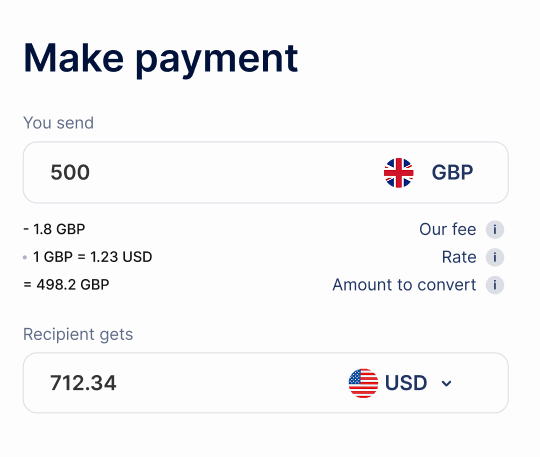
Product Hero Image
Seamless online payments
Connect effortlessly with existing software and systems.
Effortless in-store payments
Connect effortlessly with existing software and systems.
Seamless mobile payments
Our platform ensures secure transactions with advanced encryption.
Pay-by-link and QR code payments
Easily send payment requests via links or QR codes.

Secure & reliable payments

Protect your business and customers with cutting-edge technology that ensures reliable payments every time.
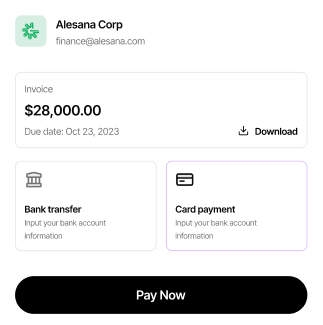
Payment Secure Image
Simple in-store payment solutions

Simple In-Store Payment Solutions designed to make every transaction faster, smoother.
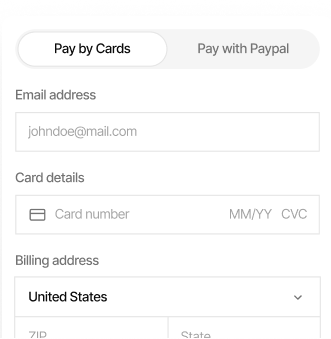
Payment Secure Image
Power online payments

Enable fast, secure, and reliable digital transactions that keep your business moving forward.
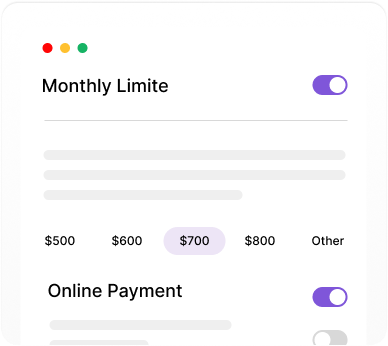
Payment Secure Image
Empower mobile payments

Enhance your checkout experience with seamless, flexible, and on-the-go payment solutions.

Payment Setup Image

Payment gateway guide

Step-by-step instructions to set up, manage, and optimize your payment gateway.

Easy account setup

Create and start using your account quickly with a simple, step-by-step process.

Speedy secure payments

Complete every transaction quickly while keeping your payments safe and protected.

Built to fit your workflow

Our clients arYapay integrates with your favorite tools and platforms.e thrilled with our services!

Paymo
Sendinblue
Appwrite
Rocket
Stripe
Dropbox
Vercel
Slack
Hashnode
Okta
Raycast
Raycast
Delta
InvoicePro
InvoicePro
Spark
Oura
Stripe
Airbnb
Spark

Code examples

Common implementation patterns and examples

// Create a payment intent
const paymentIntent
= await payflow.paymentIntents.create({
  amount: 2000,
 currency: 'usd',
 automatic_payment_methods: {
   enabled: true
  }
});  

// On the client side
const
{error} = await payflow.confirmPayment({
  elements,
  confirmParams: {
    return_url: 'https://your-website.com/return'
 }
});

// Create a payment intent
const paymentIntent
= await payflow.paymentIntents.create({
  amount: 2000,
 currency: 'usd',

// On the client side
const
{error} = await payflow.confirmPayment({
  elements,
‍
 automatic_payment_methods: {
   enabled: true
  }
});  


  confirmParams: {
    return_url: 'https://your-website.com/return'
 }
});

// On the client side
const
{error} = await payflow.confirmPayment({
  elements,
  confirmParams: {
    return_url: 'https://your-website.com/return'
 }
});

Create a payment intent
const paymentIntent
= await payflow.paymentIntents.create({
  amount: 2000,
 currency: 'usd',
 automatic_payment_methods: {
   enabled: true
  }
});  

Your questions, answered

Get all the information you need about our services, features, and payment solutions in one place. From setting up your account and integrating with your systems to understanding security.

How do I set up my account?

Setting up your account is quick and easy. Simply click on the “Sign Up” button, provide your basic business information, verify your email, and follow the step-by-step instructions to link your payment methods. Once completed, your account will be ready to process transactions securely and efficiently.

What payment methods are supported?

Setting up your account is quick and easy. Simply click on the “Sign Up” button, provide your basic business information, verify your email, and follow the step-by-step instructions to link your payment methods. Once completed, your account will be ready to process transactions securely and efficiently.

Is my payment information secure?

Setting up your account is quick and easy. Simply click on the “Sign Up” button, provide your basic business information, verify your email, and follow the step-by-step instructions to link your payment methods. Once completed, your account will be ready to process transactions securely and efficiently.

How long do transactions take to process?

Setting up your account is quick and easy. Simply click on the “Sign Up” button, provide your basic business information, verify your email, and follow the step-by-step instructions to link your payment methods. Once completed, your account will be ready to process transactions securely and efficiently.

Are there any fees for using the service?

Setting up your account is quick and easy. Simply click on the “Sign Up” button, provide your basic business information, verify your email, and follow the step-by-step instructions to link your payment methods. Once completed, your account will be ready to process transactions securely and efficiently.

Can I integrate this with my existing systems?

Setting up your account is quick and easy. Simply click on the “Sign Up” button, provide your basic business information, verify your email, and follow the step-by-step instructions to link your payment methods. Once completed, your account will be ready to process transactions securely and efficiently.

How do I handle refunds and disputes?

Setting up your account is quick and easy. Simply click on the “Sign Up” button, provide your basic business information, verify your email, and follow the step-by-step instructions to link your payment methods. Once completed, your account will be ready to process transactions securely and efficiently.

Is customer support available 24/7?

Setting up your account is quick and easy. Simply click on the “Sign Up” button, provide your basic business information, verify your email, and follow the step-by-step instructions to link your payment methods. Once completed, your account will be ready to process transactions securely and efficiently.

Can I use the service for international payments?

Setting up your account is quick and easy. Simply click on the “Sign Up” button, provide your basic business information, verify your email, and follow the step-by-step instructions to link your payment methods. Once completed, your account will be ready to process transactions securely and efficiently.